CAST
A downloadable tool for Windows
Character Assembly Sprite Tool
A free tool for creating RPG-style character sprite sheets by combining modular parts. Inspired by CharaMEL, CAST generates 4-directional walking animations ready for use in game engines.
Features
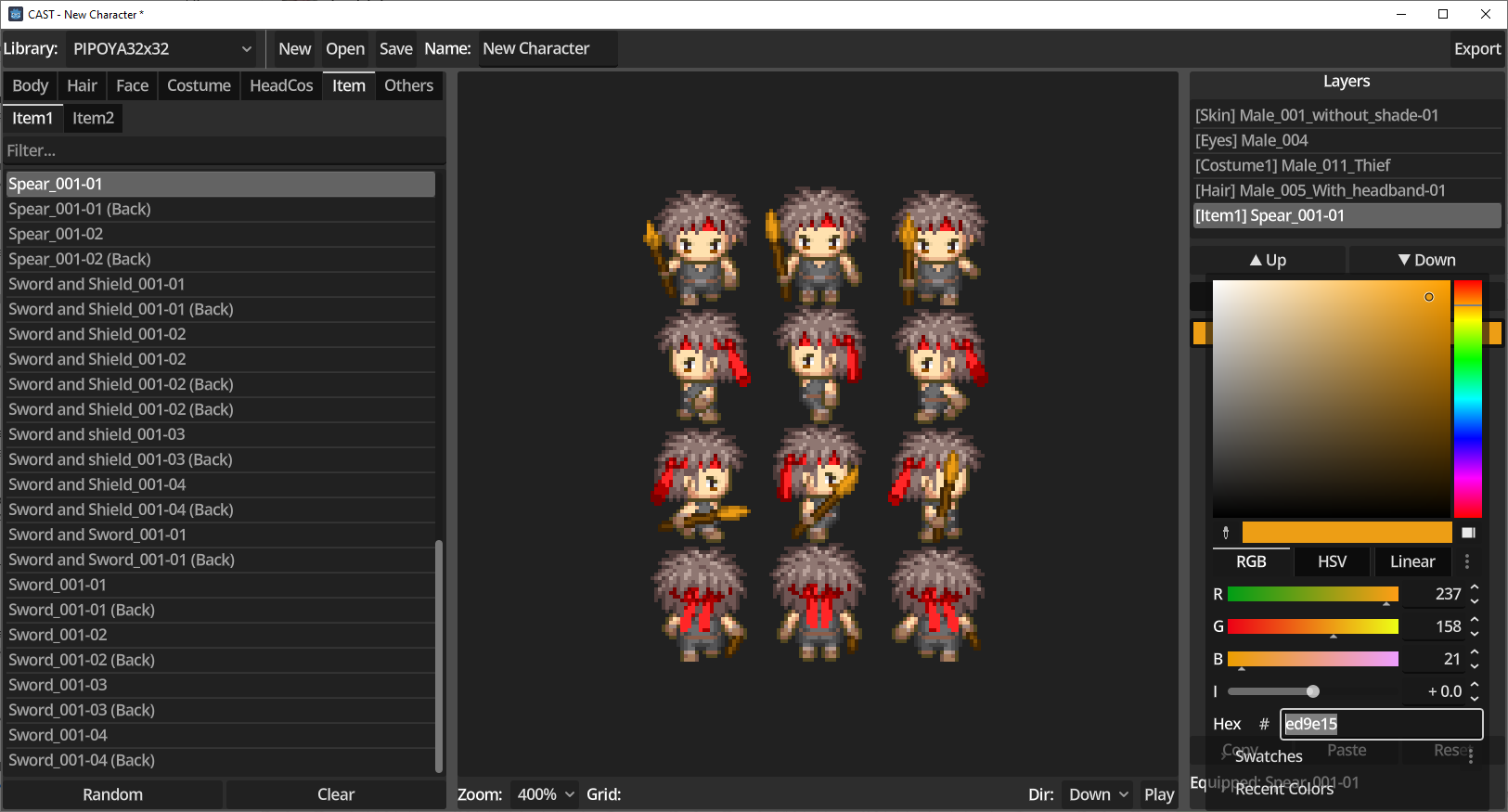
Character Creation
- Modular Parts System - Combine body, hair, face, costume, accessories, and items
- Layer Management - Reorder layers, see equipped parts at a glance
- Multiple Libraries - Support for different character styles (standard, chibi, cat characters, children, elderly)
Color Customization
- Color Mode - Tint parts with any color using RGBA
- Adjust Mode - Fine-tune with Hue, Saturation, Brightness, and Contrast sliders
- Copy/Paste Colors - Transfer color settings between layers
- Per-Layer Control - Each part can have independent color settings
Preview
- Live Preview - See your character update in real-time
- Animation Playback - Preview walking animation with play/stop controls
- Direction Selection - View down, left, right, or up-facing animations
- Zoom Levels - 1x, 2x, 4x, or 8x magnification
Export
- PNG Sprite Sheet - Standard 96x128 pixel sheet (12 frames: 4 directions x 3 frames)
- Godot SpriteFrames - Export directly to .tres format for Godot Engine
- Scale Options - Export at 1x, 2x, or 4x resolution
File Management
- Save/Load Characters - YAML format for easy editing and version control
- Import CharaMEL Libraries - Use existing CharaMEL asset packs
Tilemap Creator
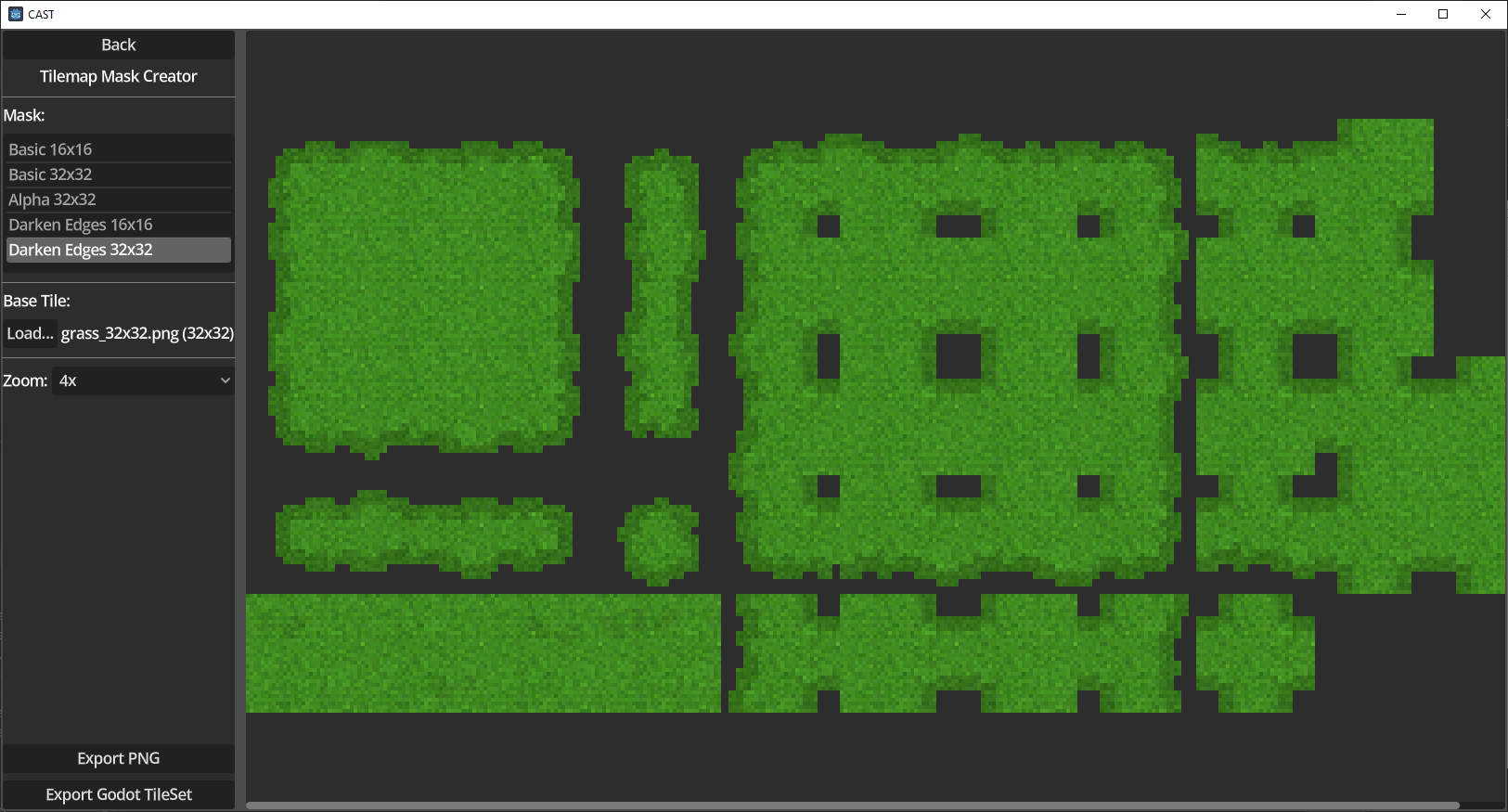
- Mask-Based Generation - Create full tilesets from a single base tile
- Multiple Mask Types - Basic and edge-darkening masks for 16x16 or 32x32 tiles
- Live Preview - See the generated tilemap instantly with zoom controls
- Flexible Export - Export as PNG or Godot TileSet (.tres)
Quick Start Guide
1. First Launch
On first launch, you need to import CharaMEL libraries:
- Click Import CharaMEL Libraries
- Navigate to and select CharaMEL.exe from your CharaMEL installation
- All libraries will be imported automatically
2. Creating a Character
Select a template library from the list and click New Character.
3. Adding Parts
- Use the category tabs (Body, Hair, Face, etc.) to browse available parts
- Click a subcategory tab to filter further
- Click a part to equip it (or select “None” to remove)
- Use Random to pick a random part from the current subcategory
4. Managing Layers
- The Layers panel shows all equipped parts
- Click a layer to select it for color editing
- Use Up/Down arrows to reorder layers
5. Coloring Parts
- Select a layer, then use Color mode for simple tinting
- Switch to Adjust mode for HSV controls
- Copy/Paste/Reset buttons help manage colors across layers
6. Previewing
- Click Play to see the walking animation
- Use the Direction dropdown to change facing direction
- Adjust Zoom for better visibility
7. Exporting
- Click Export to open the export dialog
- Choose location, filename, format (PNG or Godot), and scale
- Click Export to save your sprite sheet
8. Saving Your Work
- Save - Save to current file (or prompts for location if new)
- Save As - Save to a new location
- Open - Load a previously saved character
Tilemap Creator
Generate complete tilesets from a single base tile using mask overlays.
Using the Tilemap Creator
- Click Tilemap Creator on the start screen
- Select a mask from the list (choose 16x16 or 32x32 based on your tile size)
- Click Load… and select your base tile image (must match mask tile size)
- Preview updates automatically - use Zoom to inspect details
- Click Export PNG for the tilemap image, or Export Godot TileSet for a ready-to-use .tres file
How It Works
The mask defines the tileset layout with transparency and color tinting. Your base tile is repeated across the entire tileset, then the mask is applied using multiply blend - darker areas in the mask darken the tile edges, creating natural-looking terrain transitions.
Importing CharaMEL Libraries
CAST can import asset libraries from CharaMEL:
- Click Import CharaMEL Libraries on the start screen
- Navigate to and select CharaMEL.exe
- All available libraries will be imported automatically
Future Plans
- Side-Scroller Template
- Improved Top-Down Template
- Custom Template Creation
License
Asset libraries have their own licenses - please respect the original creators’ terms.
Download
Development log
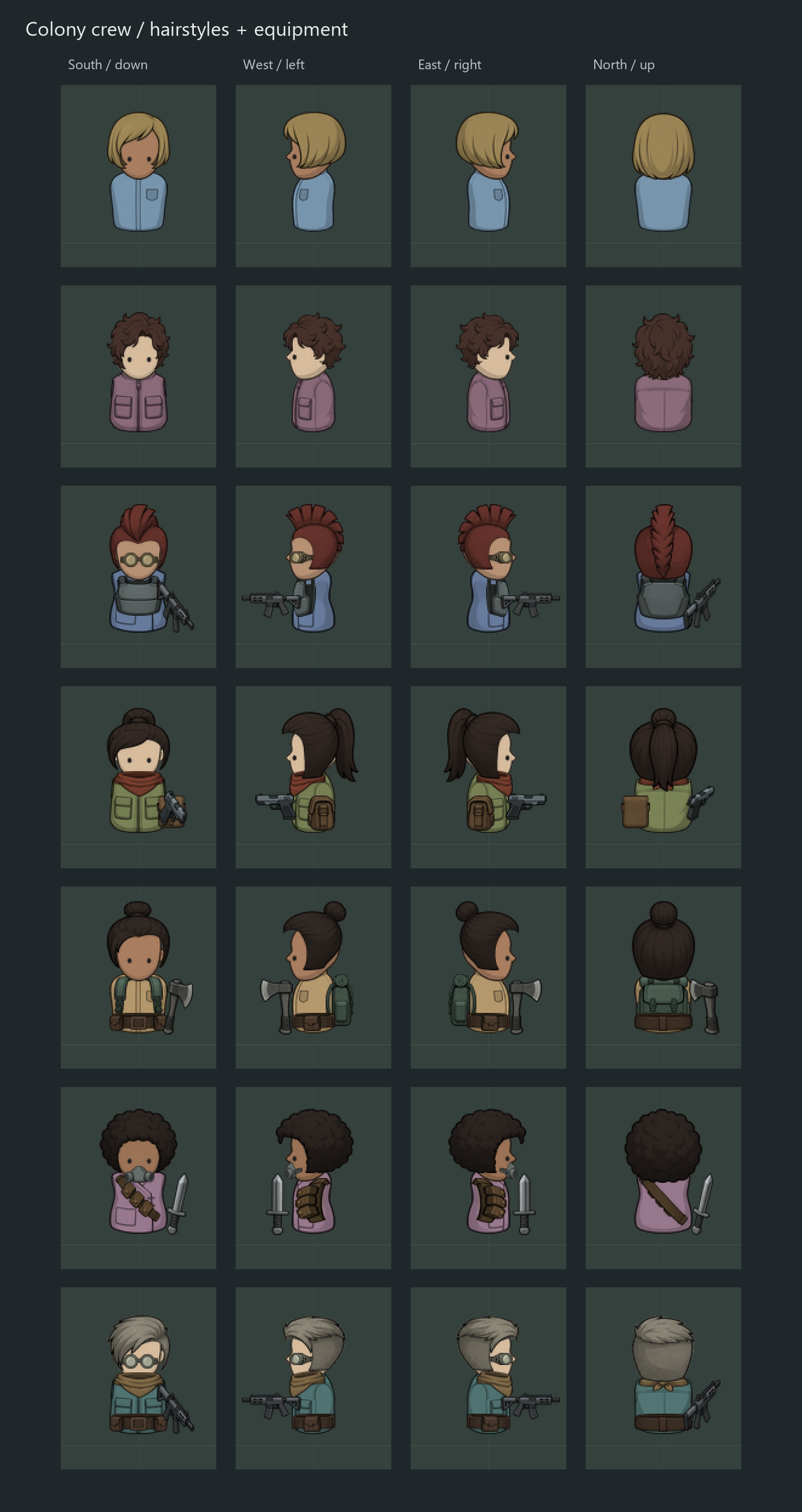
- Bring your own crew33 days ago
- Small ImprovementsDec 11, 2025
- Tilemap CreatorDec 07, 2025
Leave a comment
Log in with itch.io to leave a comment.